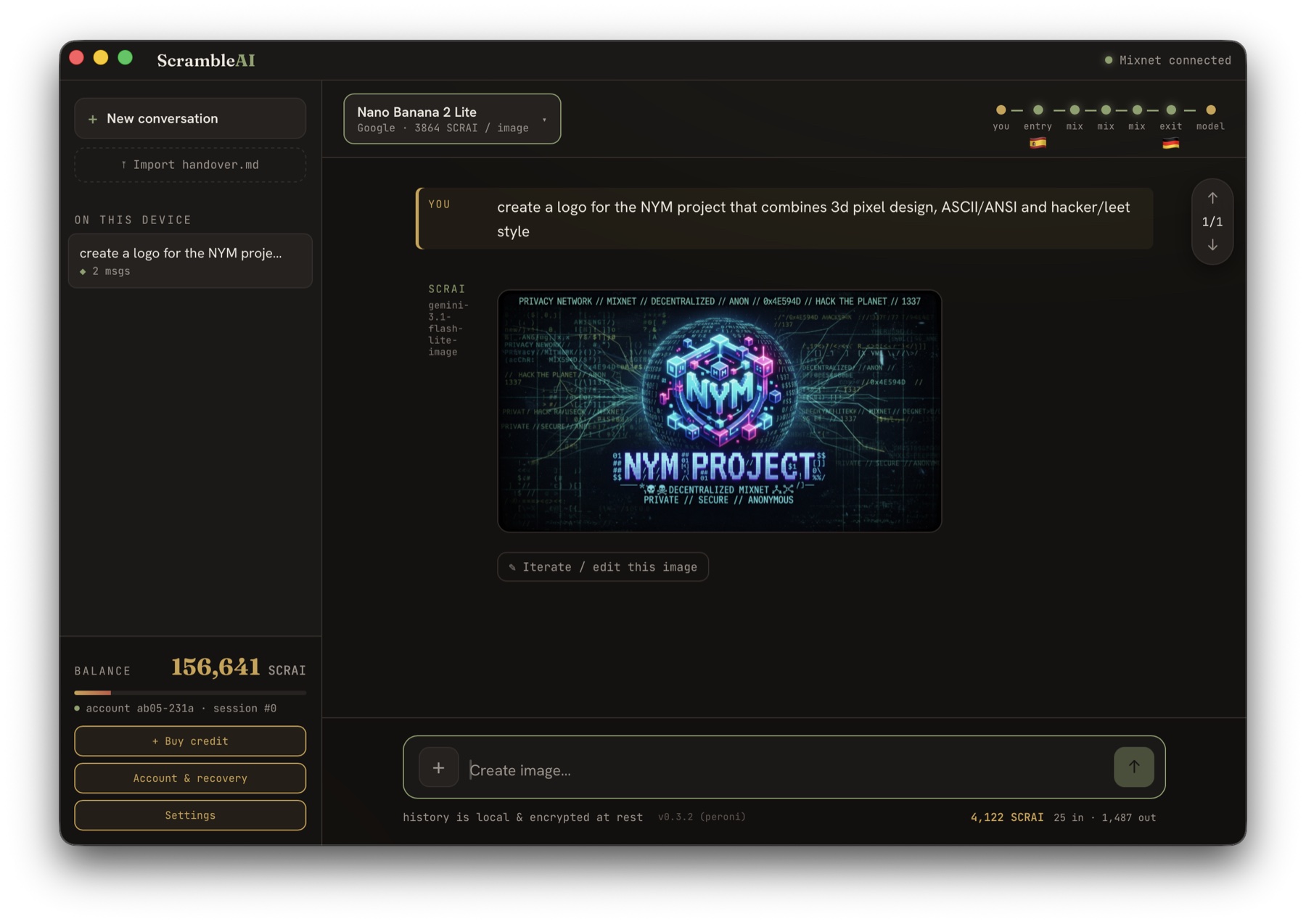
Anonymous AI.
Over the Nym mixnet.

Every question you ask a chatbot reveals who is asking and what. ScrambleAI separates the two by engineering: questions travel through five mixnet hops, credit is bought once and spent as blind-signed coins, and your history never leaves the device.

Testnet build 0.4.6 · built on the Nym SDK · no account, no e-mail — a 24-word phrase is all you keep.

macOS · 0.4.6 · the app, not a mockclick to enlarge
01 · Download

Runs on your machine

Not in the app stores yet. Desktop builds are direct downloads (the macOS one signed and notarised by Apple), iPhone comes through TestFlight, Android needs sideloading — and Windows still shows a warning on first launch. Every download has a checksum you can verify.

Desktop
macOSScrambleAI_0.4.6_aarch64.dmg · 31 MB
Signed & notarised by Apple. Open, drag to Applications — done. Apple silicon.
Installation notes
Open the .dmg and drag ScrambleAI to Applications, then double-click to launch. No warning, no workaround — the build is signed and notarised by Apple (Developer ID). Apple silicon (M-series) only.
Verify checksum
sha256 3ed984cfbd8018da37e23d31c65b36dc8cdfddfa89705c8bbc51427798626a25
Check your download with the copy-paste command under Verify a download ↓.
LinuxScrambleAI_0.4.6_amd64.deb · 35 MB
For Debian, Ubuntu, Mint and Kali — installs like any system package.
Installation notes
.deb — install from a terminal, then launch ScrambleAI from your app menu:
sudo dpkg -i ScrambleAI_0.4.6_amd64.deb
It uses your system's WebKitGTK, which makes it the most reliable option.
AppImage (experimental) for other distros: one file — chmod +x, double-click. On VMs and older graphics stacks the window can stay grey (EGL); try WEBKIT_DISABLE_DMABUF_RENDERER=1 before launching, or use the .deb on a Debian-based system.
Verify checksums
.deb — 7df8a5bb8f66a8578e453e8cad694028f41c6bba62ab0cda99406244176c2400
AppImage — c7304624782065d32211969fb1d06d5250949d4ce95118555af72943cefd5633
Check your download with the copy-paste command under Verify a download ↓.
WindowsScrambleAI_0.4.6_x64-setup.exe · 25 MB
Installs per user — no admin rights needed. Windows 10/11.
Installation notes
First launch: the installer is not code-signed yet, so SmartScreen says "Windows protected your PC". Click More info → Run anyway once. Installs per user, no admin rights; needs the Edge WebView2 runtime (fetched automatically if missing).
Verify checksum
sha256 32b992db0f479a8bb5bb614512b1bcb2326e78bf4417a19e6d740aebb8f5d250
Check your download with the copy-paste command under Verify a download ↓.
Mobile
iPhoneTestFlight · public beta
The beta ships through Apple's TestFlight — install TestFlight, open the invitation link, tap Install.
Join on TestFlightSideload guide for testers · not published yet
Installation notes
An iPhone can't install an app from a download, so the beta ships through Apple's TestFlight: install the TestFlight app from the App Store, open the invitation link, tap Install. Updates arrive automatically. iOS 15 or newer.
Verify checksum
No file to check by hand — TestFlight installs are delivered and verified by Apple.
AndroidScrambleAI_0.4.6_arm64.apk · 70 MB
Direct download (.apk) — not on Google Play yet. Android 8+, 64-bit (arm64).
Installation notes
  1. On the phone, open this page in Chrome and tap Download .apk. If Chrome warns the file "might be harmful", choose Download anyway.
  2. Tap the finished download (notification, or Files → Downloads).
  3. First time only: Android says it isn't allowed to install unknown apps from this source → Settings → Allow from this source → go back.
  4. Tap Install. If Play Protect objects ("unrecognised developer"), tap More details → Install anyway.
  5. Open ScrambleAI. Updates install over the old version — your account and history stay.
Verify checksum
sha256 3536cb5535d56f0bc80acbb04671f71524e8639e7f1ab5e81e409d846138bf02
Check your download with the copy-paste command under Verify a download ↓.
02 · Testnet credit

A faucet that pays like a customer

Testers don't get a pre-funded seed (we would know it) and the server has no special faucet path (nothing to remove later). Instead this page pays the invoice your app created — on the Nyx testnet, with the memo the app shows you. Every tester runs the real purchase flow end to end.

The faucet is currently switched off — this server is not in testnet mode.
1
In the app: Buy credit → tick "Testnet purchase" → $1 → NYM → ContinueOnly $1 is selectable in testnet mode. You get the server's address and a short memo — copy the memo.
2
Here: invite code + memo → FundThe faucet checks that the memo is an open $1 testnet invoice, then pays it from our testnet wallet — a real NYM transfer on the Nyx chain, exactly like a customer. One payment per memo; an invite code is good for exactly one purchase.
3
Wait — both sides tell youThis page follows the payment (sent → credited); the app's chain watcher matches the memo and shows the credit as "held", spent as blind-signed coins from your next message.

Honest note: the faucet knows memo ↔ invite code, the server knows memo ↔ account, and both are ours — in this test, a purchase is linkable to a tester. Real purchases on mainnet are not routed through anything like this.

Amount: read from the invoice the app created — $1 at today's rate, pinned by the server. Nothing to type.
03 · How it works

Two things that never meet

Your identity and your questions. The app talks to the ScrambleAI server only through the Nym mixnet (Sphinx packets, five hops, cover traffic) — the server has no public address at all. Credit is bought once as an account top-up and then withdrawn as blind-signed coins; a coin spent on a question cannot be linked back to the purchase that funded it.

04 · Verify a download

Check the file before you open it

The builds are not signed by a store, so the checksum is your proof that the file is the one we published. Copy the line for your system into a terminal — it prints OK (macOS, Linux) or True (Windows) when the download matches.

macOS
Terminal · file in ~/Downloads
cd ~/Downloads && echo "3ed984cfbd8018da37e23d31c65b36dc8cdfddfa89705c8bbc51427798626a25  ScrambleAI_0.4.6_aarch64.dmg" | shasum -a 256 -c
expect ScrambleAI_0.4.6_aarch64.dmg: OK
🐧 Linux
Shell · file in ~/Downloads
cd ~/Downloads && echo "7df8a5bb8f66a8578e453e8cad694028f41c6bba62ab0cda99406244176c2400  ScrambleAI_0.4.6_amd64.deb" | sha256sum -c
expect ScrambleAI_0.4.6_amd64.deb: OK
Got the AppImage instead? Same command with ScrambleAI_0.4.6_amd64.AppImage and its sha256 from the download card.
⊞ Windows
PowerShell · file in Downloads
(Get-FileHash "$env:USERPROFILE\Downloads\ScrambleAI_0.4.6_x64-setup.exe" -Algorithm SHA256).Hash -eq "32b992db0f479a8bb5bb614512b1bcb2326e78bf4417a19e6d740aebb8f5d250"
expect True
🤖 Android
Termux · file in Download
cd ~/storage/downloads && echo "3536cb5535d56f0bc80acbb04671f71524e8639e7f1ab5e81e409d846138bf02  ScrambleAI_0.4.6_arm64.apk" | sha256sum -c
expect ScrambleAI_0.4.6_arm64.apk: OK
No Termux? Check the .apk on a computer with the macOS or Linux line above, then copy it to the phone.

Mismatch or "FAILED"? Don't open the file — download it again from this page, and if it still differs, tell us. The sha256 values above are also printed on each download card.

© 2026 Hermes Blockchain Ventures · prepaid credit $5 · $10 · $20 · $50 — see Terms Imprint · Terms · Privacy · Contact · Verify a download ↑